If your landlord uses VinaBos, you can view invoices and your contract, send messages and report problems straight from your phone. The first step is signing in to the app. It takes about 2 minutes and you only do it once.
Before you start
- Your landlord has created an app account for you. They will send you a temporary password by message or tell you in person.
- You know the phone number or email your landlord entered in your profile, because that is your username.
- Your phone has an internet connection.
Steps
Install the VinaBos app
Find the VinaBos app on the App Store (iPhone) or Google Play (Android) and install it. If you cannot find it, ask your landlord for the install link.
Enter your username and password
Open the app. On the sign-in screen, enter your Phone number or email (①) and Password (②), then tap Sign in (③). The sign-in screen on the web looks similar to the one below.
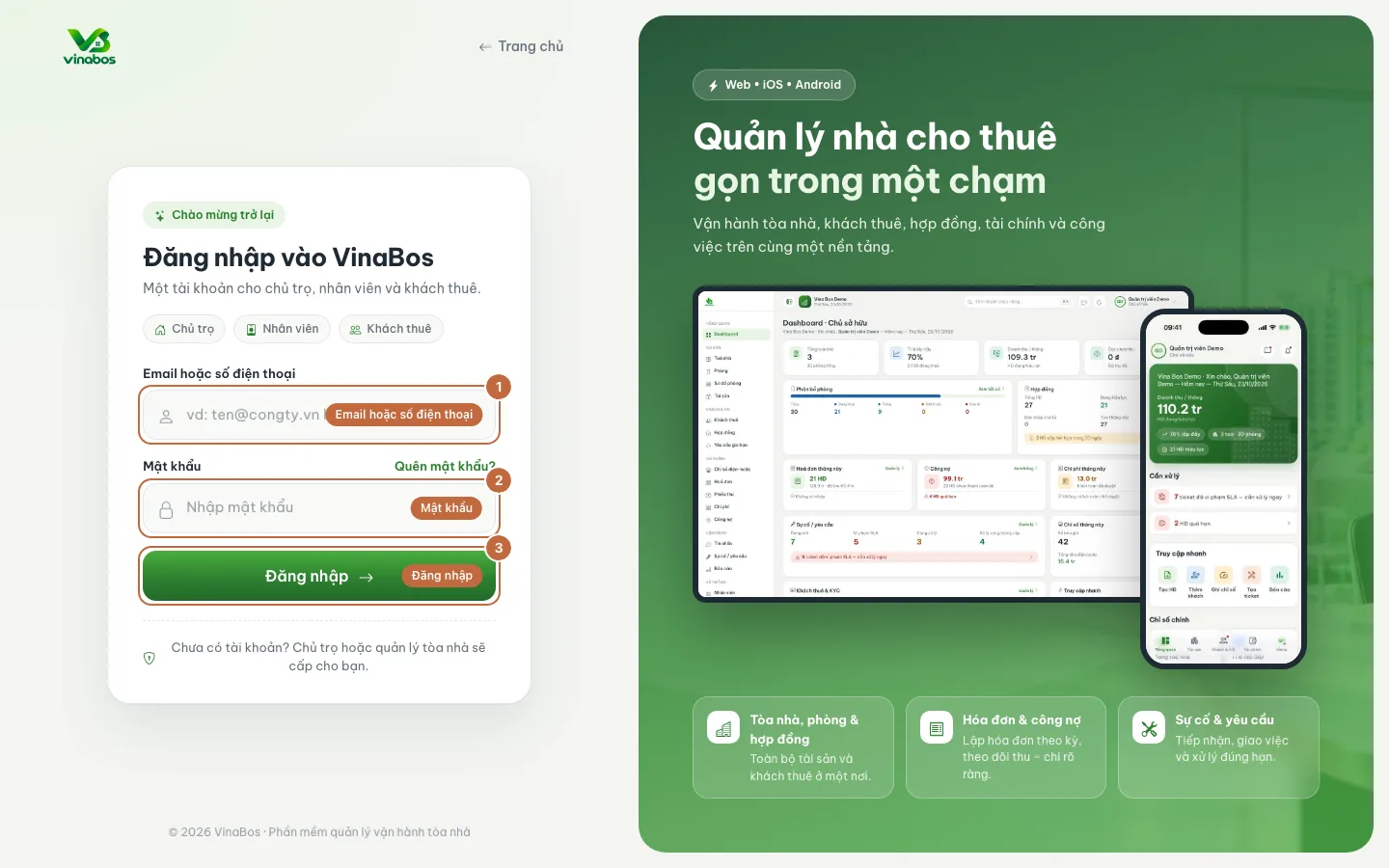
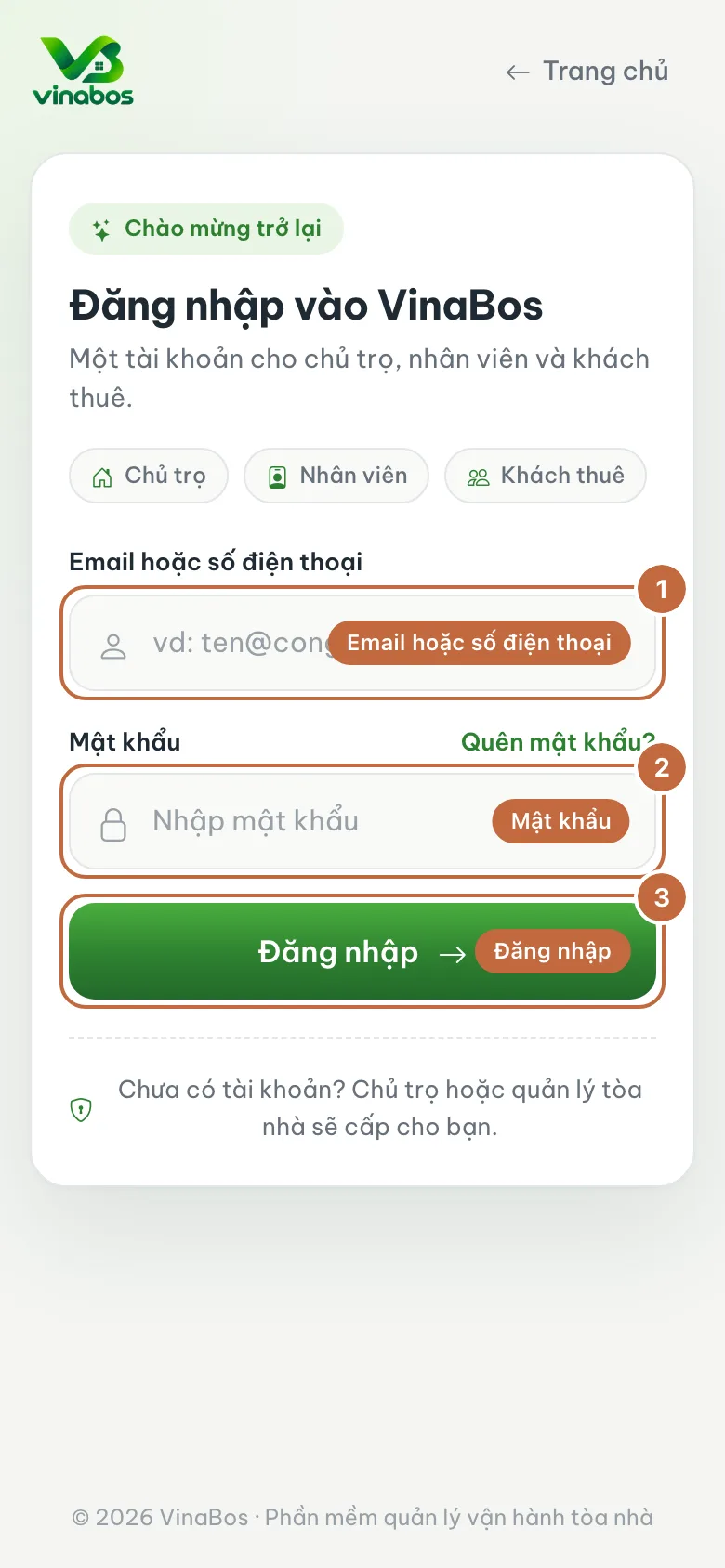
VinaBos sign-in screen: username (①), password (②) and the Sign in button (③) Choose where you rent, if asked
If you rent from several landlords, or you are both a tenant and a staff member, the app asks which one you want to enter. Choose Tenant for the right property.
Get to know the main sections
The bottom bar has Home, Payments, Requests, Messages and Account. Home shows your room, your balance and your current contract.
Change your password
Go to Account, choose change password and replace the temporary password with one of your own.
Change your password the first time you sign in, because the temporary password may have been seen by others in a message.
You use the same account to sign in everywhere, so if you already had a VinaBos account, your landlord just links your profile and you keep using your existing password.
FAQ
I forgot my password
On the sign-in screen tap Forgot password? and follow the instructions. If that still does not work, ask your landlord to reset your password.
Sign-in says it is wrong, but I am sure it is right
Check that you are entering exactly the phone number or email your landlord put in your profile. One wrong digit and the system will not recognize you. Ask your landlord to double-check it.
Next step
Was this article helpful?
Thanks for your feedback!