
This guide helps you sign in to VinaBos for the first time and replace the password you were given with one only you know. It takes about 3 minutes and you should do it right away, because the initial password is usually sent by message or email and someone else may have seen it.
Before you start
- You received an email or phone number to sign in with, plus an initial password. It was sent by your landlord, manager or the VinaBos team.
- You can use a computer or a phone, as long as it has a web browser.
- No special permission is needed: anyone with an account can change their own password.
Steps
Open the sign-in page
Open your browser, go to the VinaBos sign-in page and enter your Email or phone number in field ①. You can type a phone number the way you usually write it, for example
0912 345 678or0912345678; both work.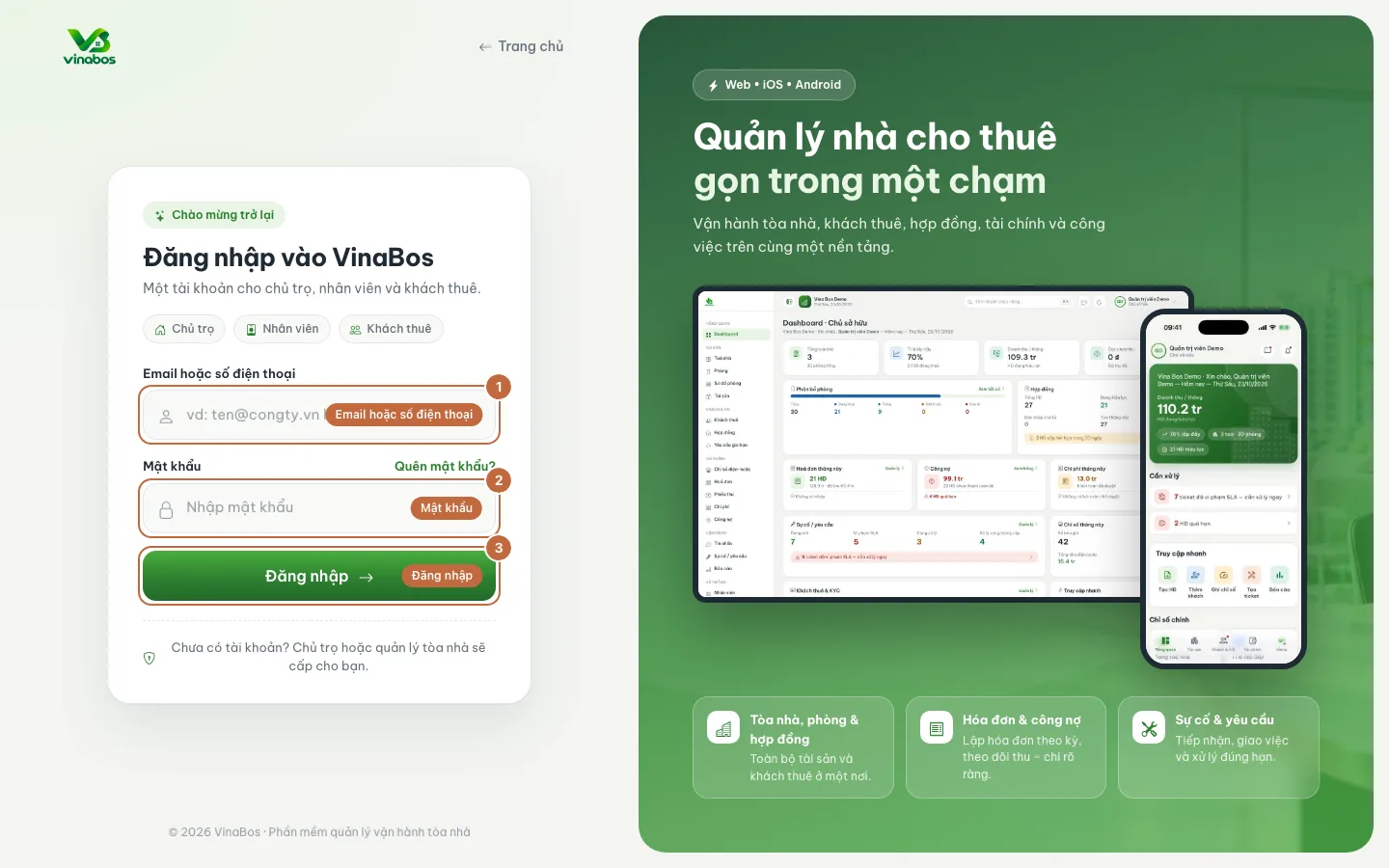
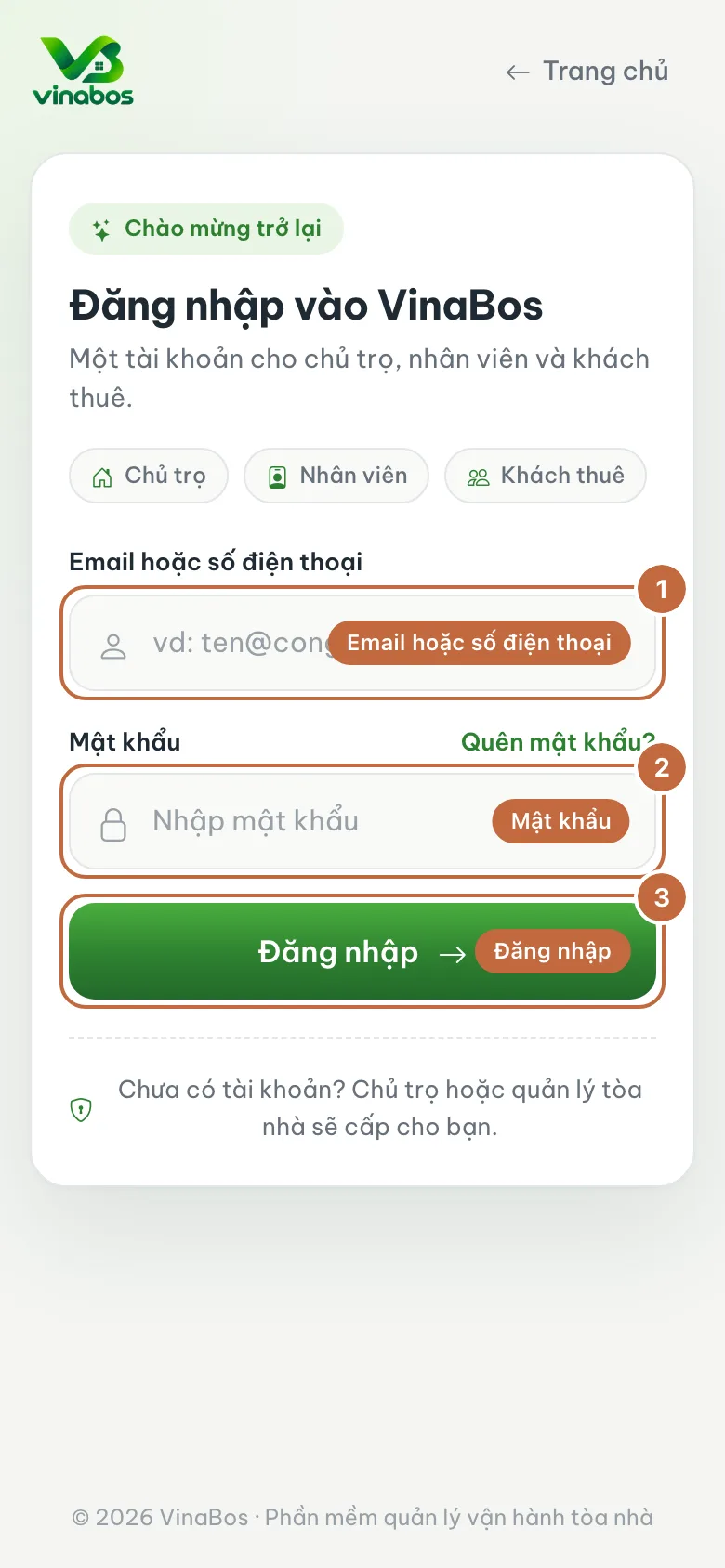
Sign-in screen: field ① is your email or phone number, field ② is the password, button ③ is Sign in Enter your password and click Sign in
Type the password you were given into the Password field (②), then click Sign in (③). If your account belongs to several organizations, or you are both staff and a tenant, the system asks which one you want to enter. Choose the organization you work for.
Open the account menu
Once you are on the main screen, look at the top right corner: click your photo or name to open the account menu. It has two items, Change password (①) and Sign out.
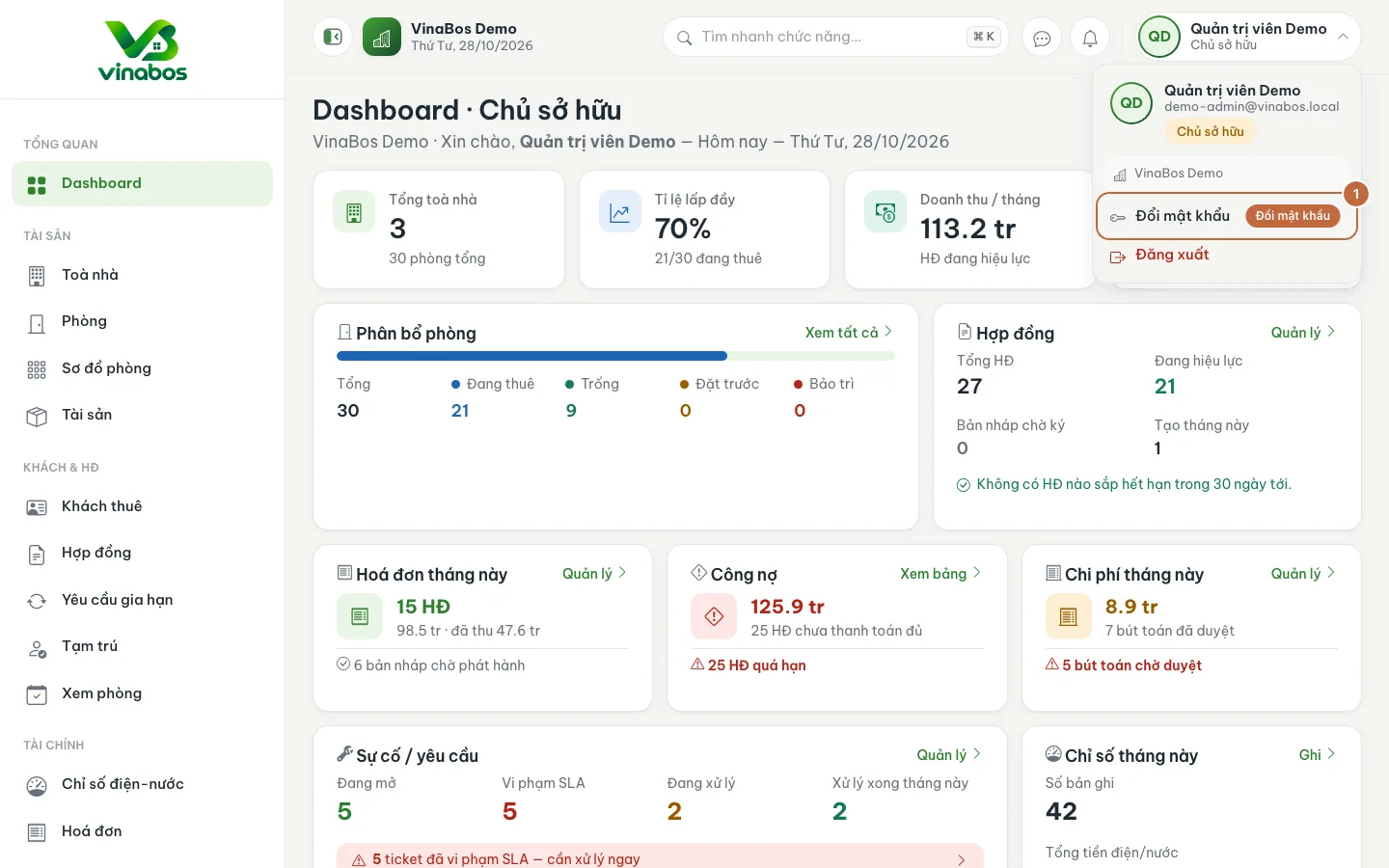
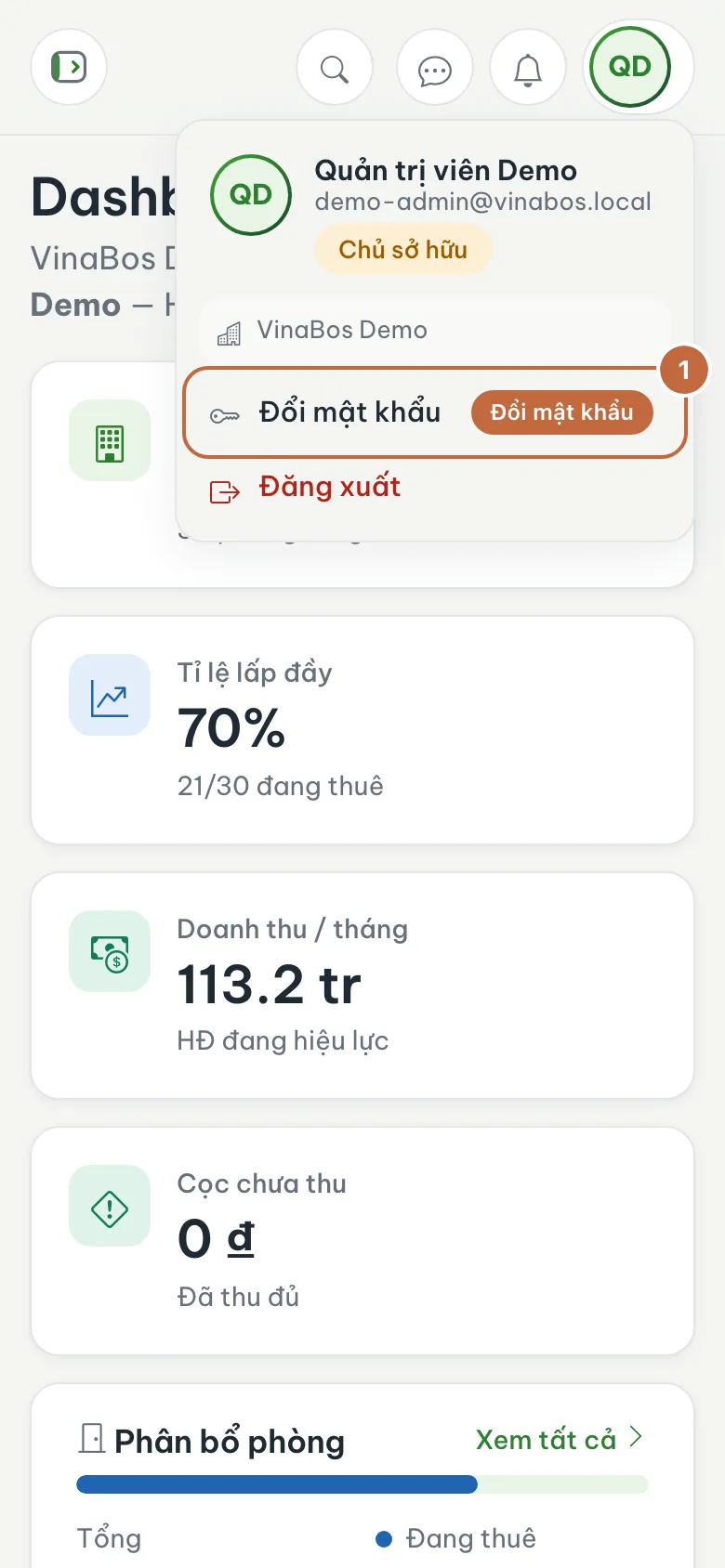
Account menu in the top right corner; click Change password (①) Fill in the Change password form
A dialog opens. Fill in three fields: Current password (①) is the password you just used to sign in, New password (②) must be at least 8 characters, and Confirm new password (③) is the same new password typed again. Finally, click Change password at the bottom of the dialog.
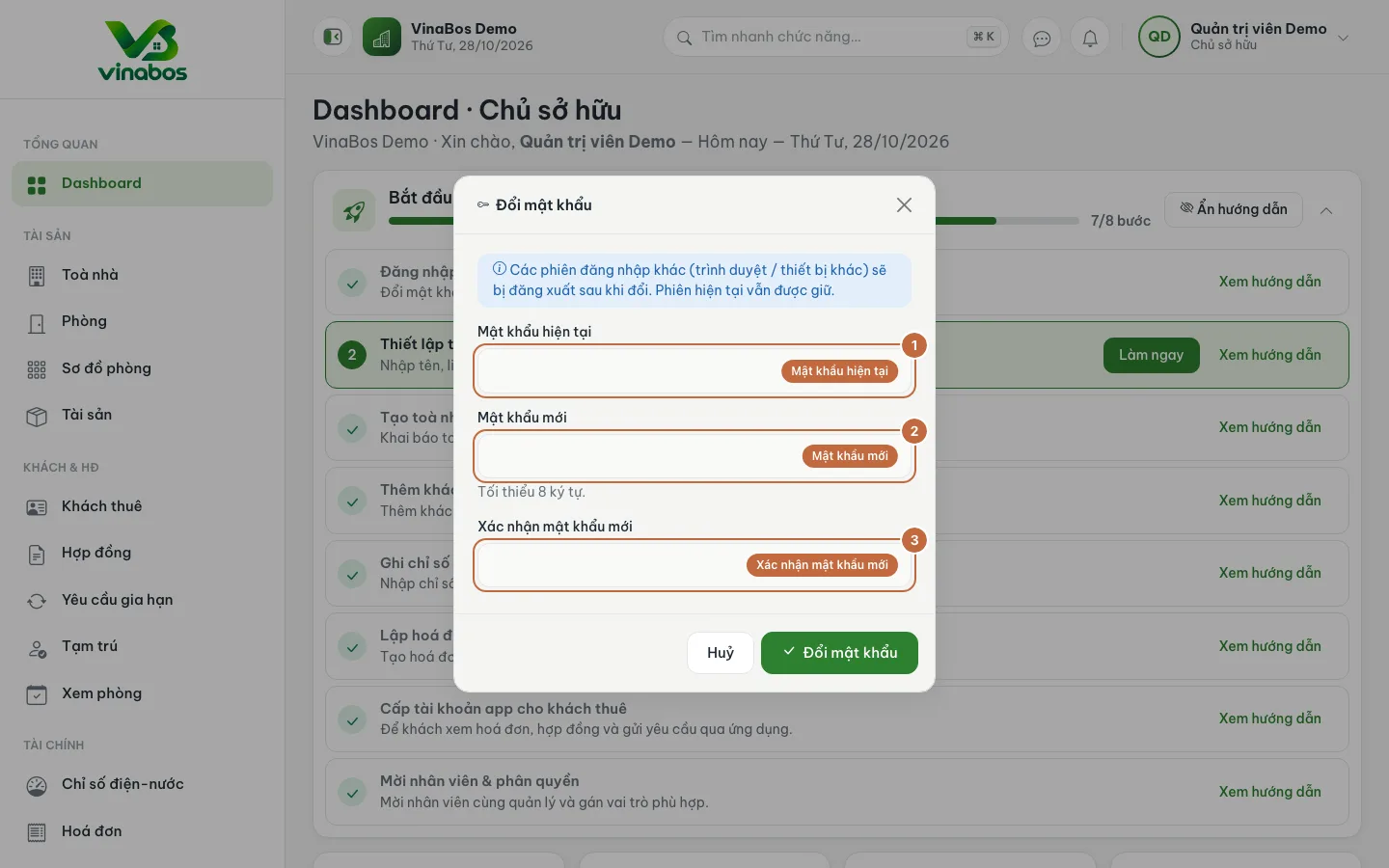
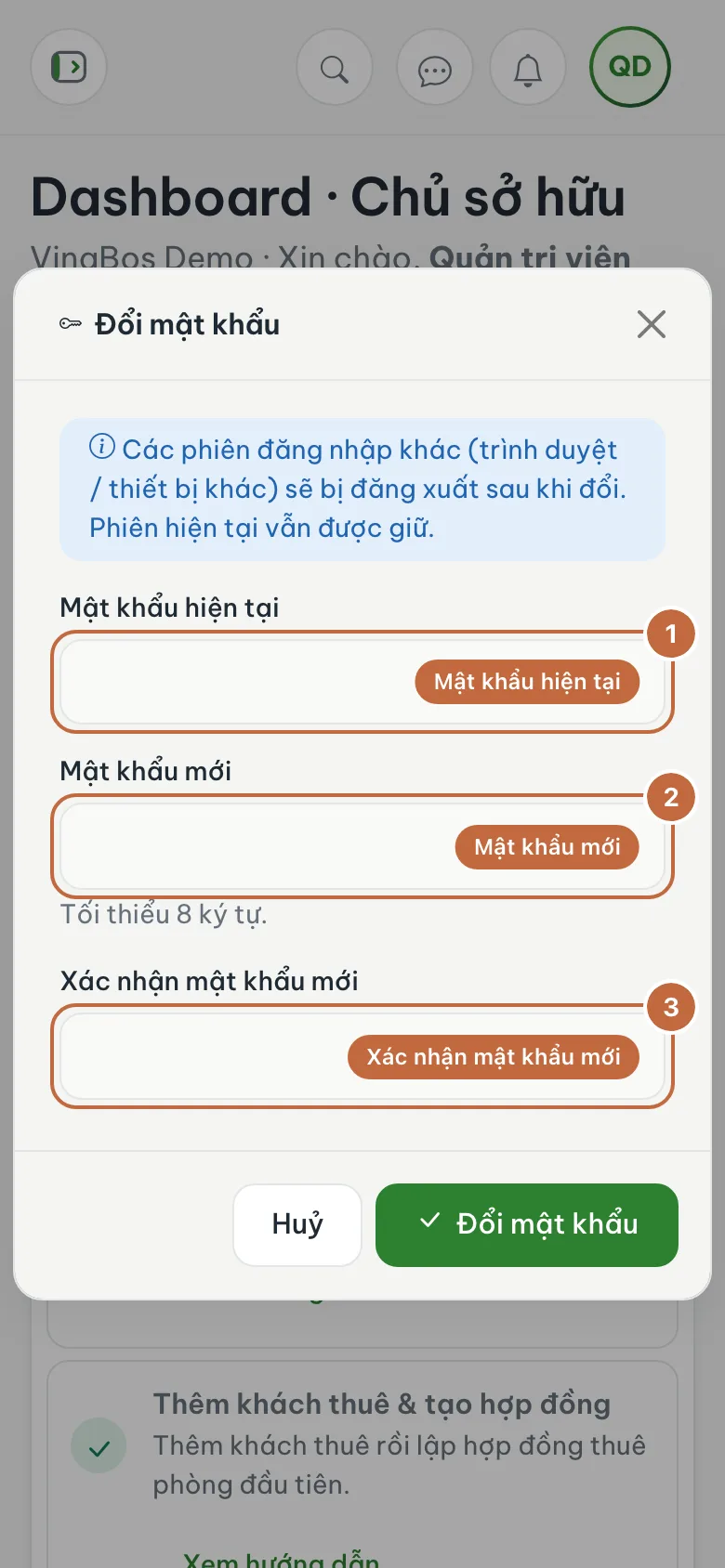
The Change password dialog with its three fields Check the result
The system confirms the change. From now on, sign in with your new password. The first step in the "Get started with VinaBos" card on the main page is also marked as done automatically.
Pick a long password that is easy for you to remember but hard for others to guess, for example a short sentence with a number. Avoid birthdays and phone numbers. If you often forget, store it in your phone's password manager.
After you change your password, other devices and browsers signed in to your account are signed out. The session you are using stays active. This is a good thing if you suspect someone else knows your old password.
On mobile
You can do exactly the same in your phone's browser: the sign-in screen shrinks to fit a small display and the account menu stays in the top right corner. If you use the VinaBos app on iOS or Android, sign in with the same email or phone number and password as on the web.
FAQ
What if I forgot my password?
On the sign-in screen click Forgot password? and follow the instructions; VinaBos emails you a link to reset it. If the email does not arrive, check your spam folder or ask your landlord to issue a new one.
I entered the right password but still cannot sign in
Check Caps Lock and your keyboard layout, because passwords are case sensitive. If you have tried several times, wait a few minutes and try again, or ask your manager to check whether your account has been suspended.
What makes a valid new password?
At least 8 characters, and different from your current password. For safety, mix letters, numbers and special characters.
Next step
Your account is safe. Now set up your organization details: Set up your organization and bank account →
Was this article helpful?
Thanks for your feedback!