
The plumber's fee, new light bulbs and a cleaner's pay are all expenses of your property. Record them in VinaBos so the profit and loss report reflects reality. Small amounts are auto-approved; amounts above the approval threshold need a proof document and must wait for someone with approval rights.
Before you start
- Your plan includes the Expenses & approvals feature.
- Your role has permission to create expenses. To click Approve or Reject you also need the approve-expenses permission (usually for managers or accountants).
- Have the amount, date, who did the work and a photo of the receipt ready.
Steps
Open the Expenses page
In the menu, under the Finance group, click Expenses. At the top is the total spent in the selected month, and below it a list with status labels Auto-approved, Pending approval, Approved and Rejected. Change the month with the period picker.
Click Record expense
Click Record expense (①).
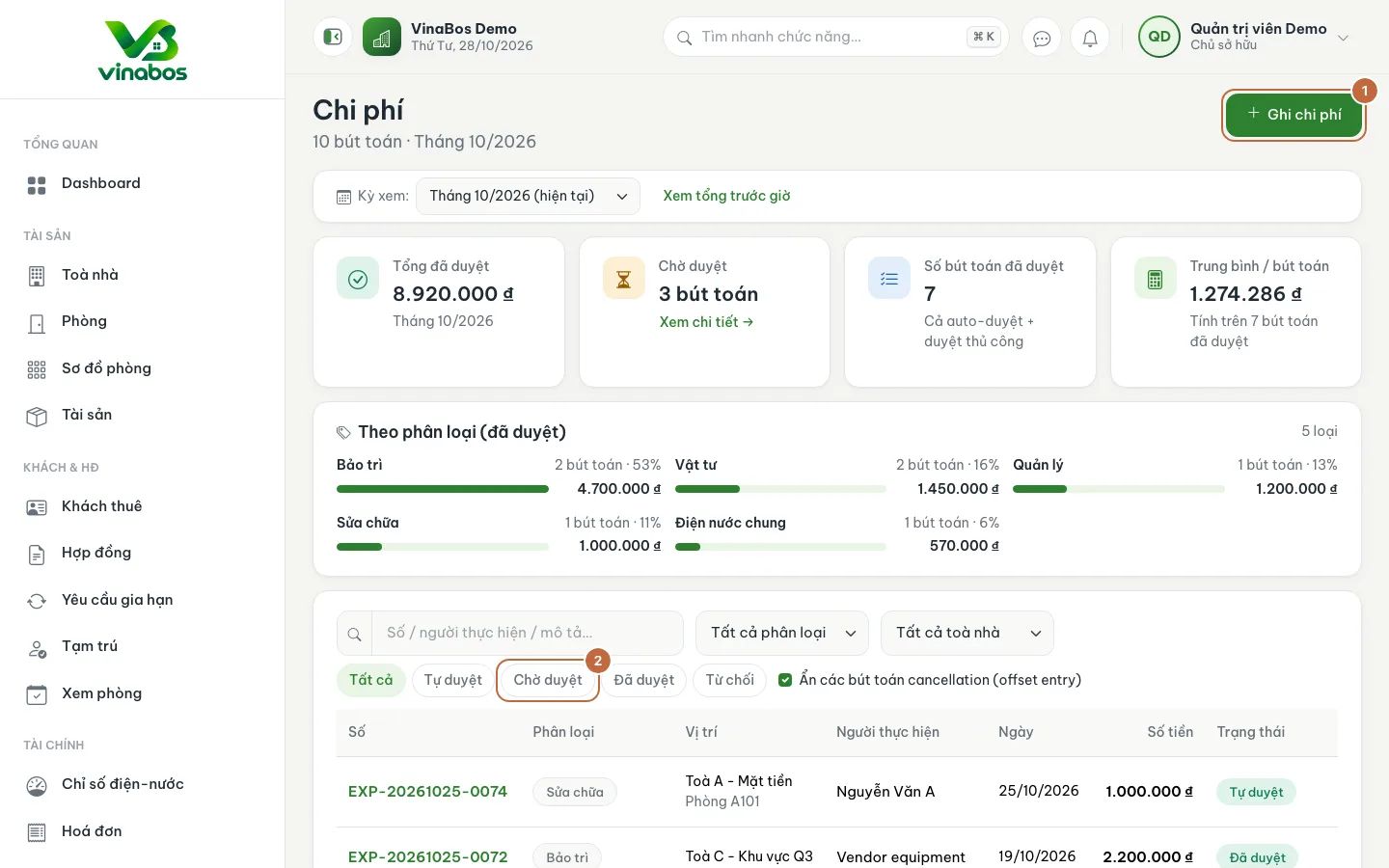
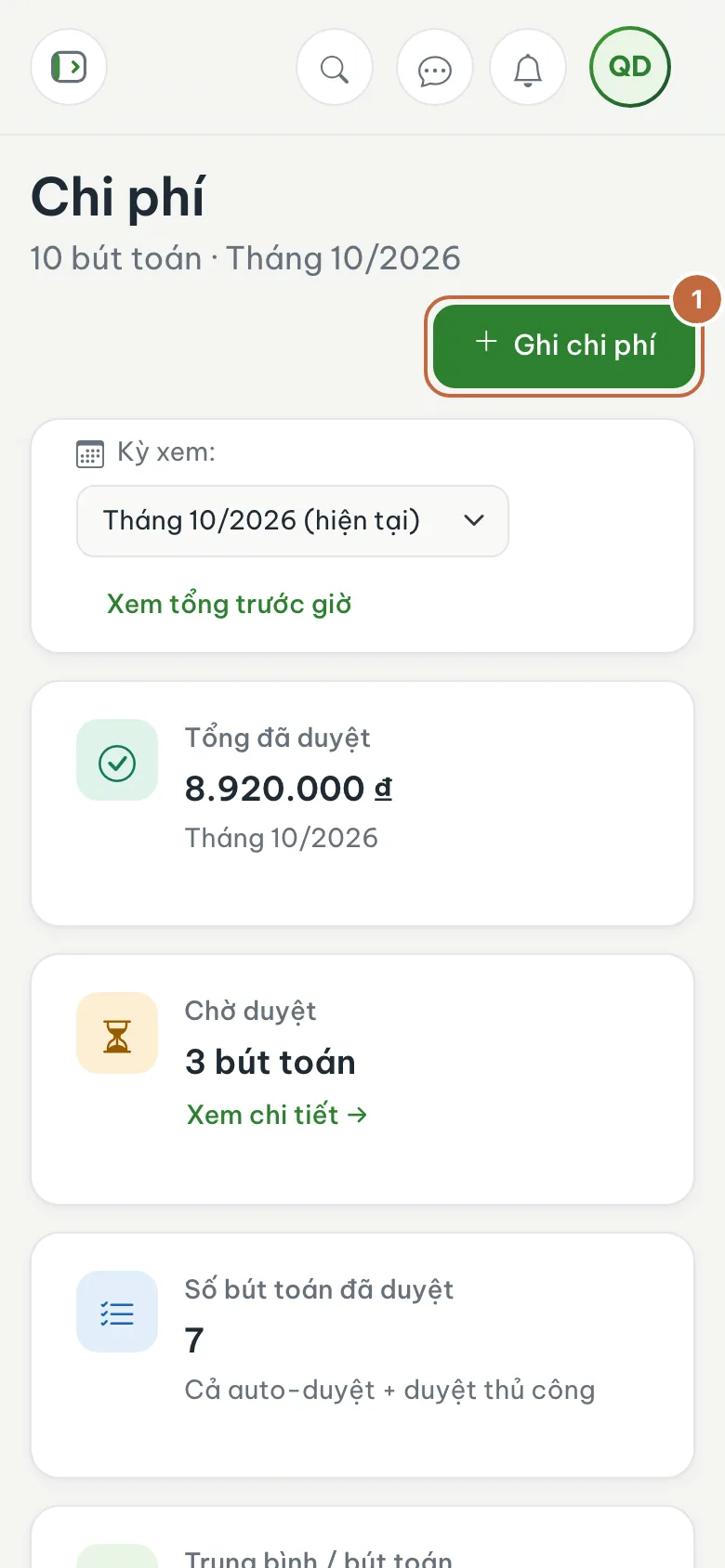
Expenses list with the Record expense button (①) and the Pending approval filter (②) Fill in the expense
Choose a Category (repairs, maintenance, supplies, labor, shared utilities, management, other). Enter the Amount (①, with quick buttons +500,000, +1,000,000...) and the Date incurred. Choose the Building (②), and a room if the work relates to a specific room.
Describe it and attach proof
Enter Performed by and a clear Description: what was done, which materials, why. An expense above the approval threshold requires a proof photo.
Save and approve
Click Save expense (③). Anything in Pending approval can be opened by someone with the right, or approved or rejected straight from the list with Approve / Reject.
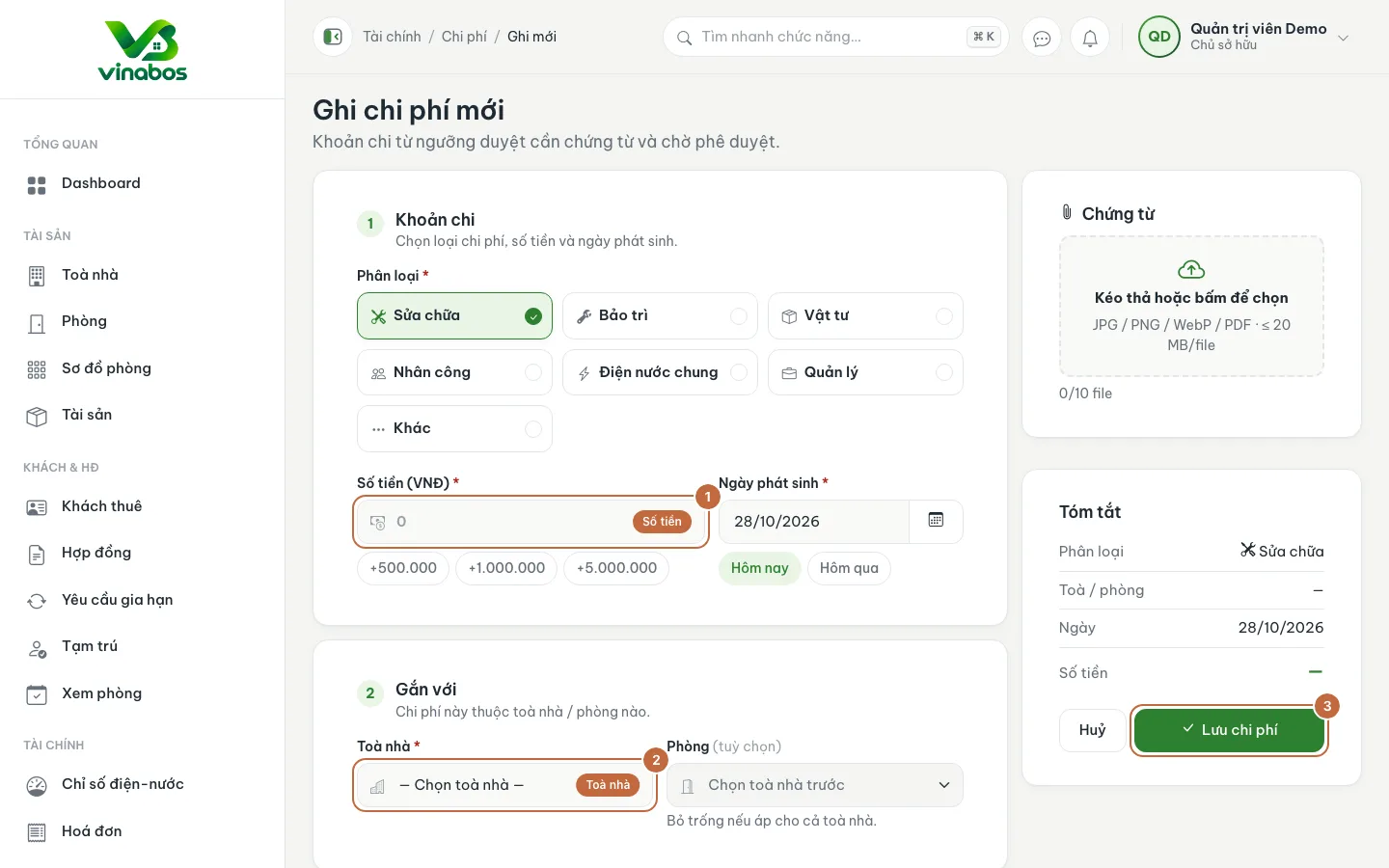
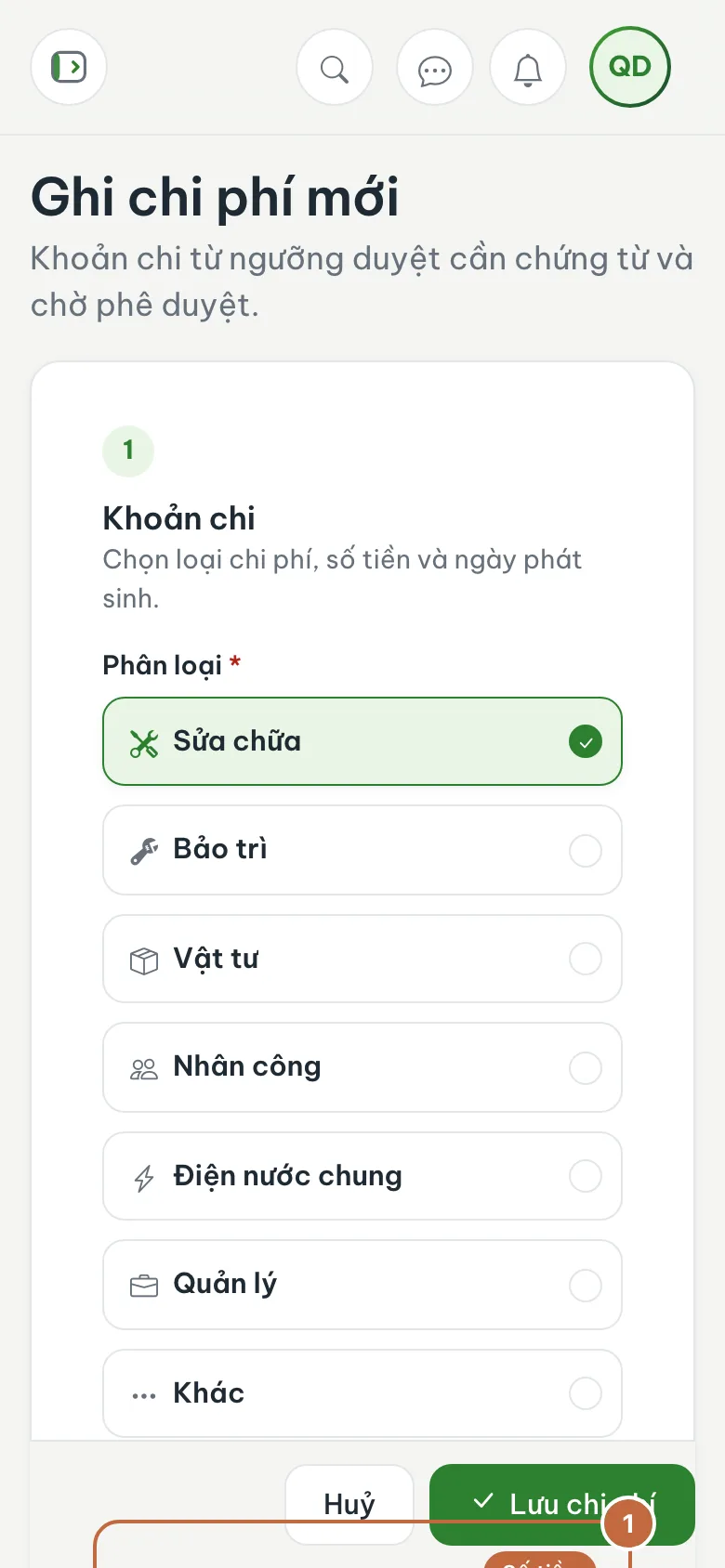
New expense form: Amount (①), Building (②) and the Save expense button (③)
When a repair comes from an issue, use the Also record an expense entry option when you mark the ticket as resolved. The expense is linked to the issue, which makes it easy to look up later.
Approved expenses go into the period's revenue, expense and profit or loss report. Rejected expenses are not counted.
FAQ
I entered the wrong amount
Open the expense and edit it if that is still allowed, or ask the approver to reject it and record it again. Do not delete an approved expense unless you really have to.
What is the approval threshold?
The threshold is set by the system for your organization. When you save an amount above it, it goes into Pending approval.
Next step
Was this article helpful?
Thanks for your feedback!