
At the end of the month the most important question is: who has not paid yet, how much do they owe and how late are they. VinaBos' debt dashboard answers it instantly, with no need to add up invoices by hand. You can see total outstanding debt, split by building and by days overdue, then open the overdue invoice list to follow up.
Before you start
- Your plan includes the Debts & reminders feature and your role has permission to view debts.
- Invoices have been issued and payments fully recorded; see Create invoices and collect payments. If you collect money without recording it in the system, the tenant will still show as owing.
Steps
Open the Debt dashboard
In the menu, under the Finance group, click Outstanding debt. The Debt dashboard page summarizes the outstanding balance of issued and partially paid invoices. At the top are the cards Total outstanding, Not overdue, Overdue 1–7 days and the longer-overdue brackets, up to Overdue > 30 days.
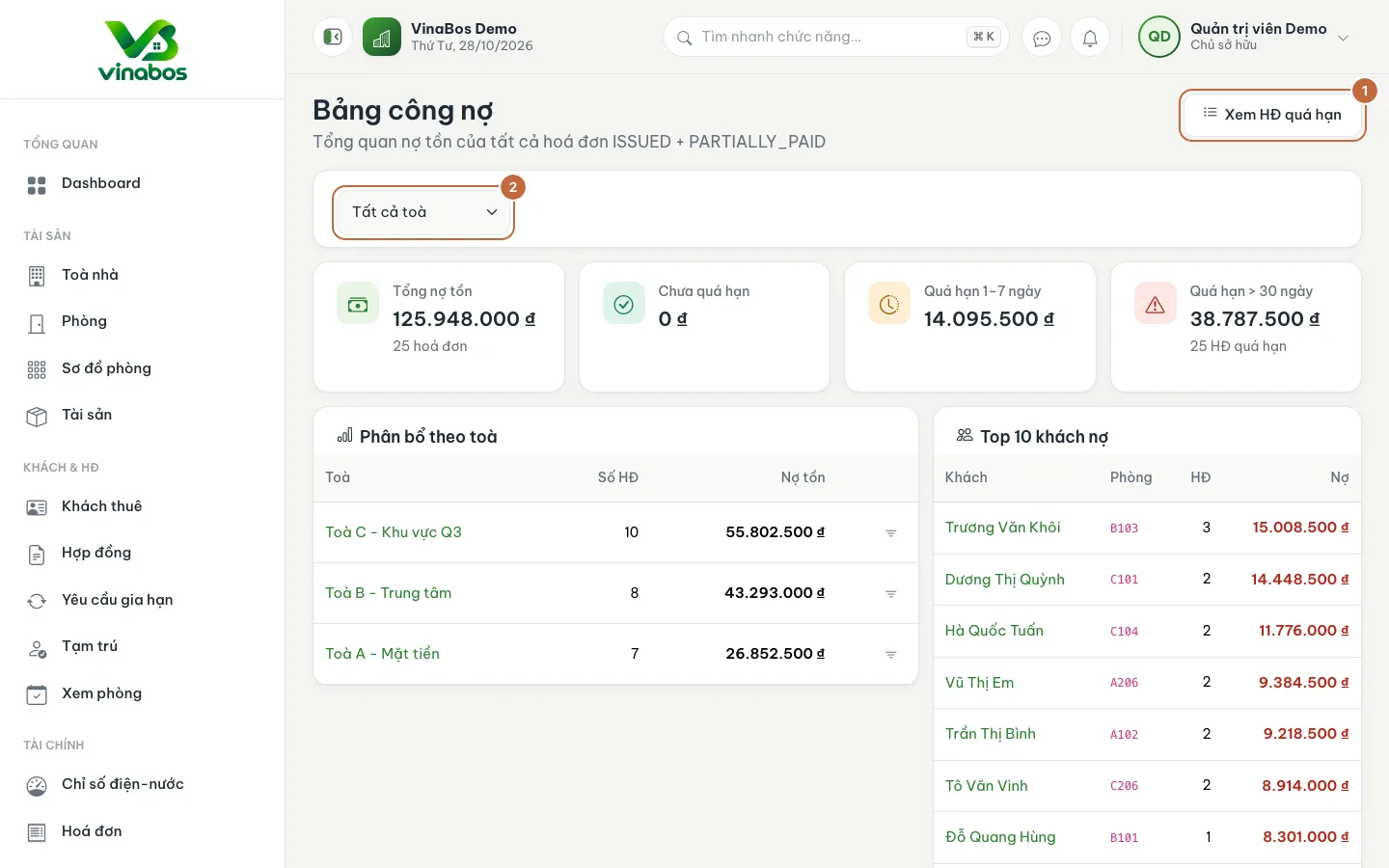
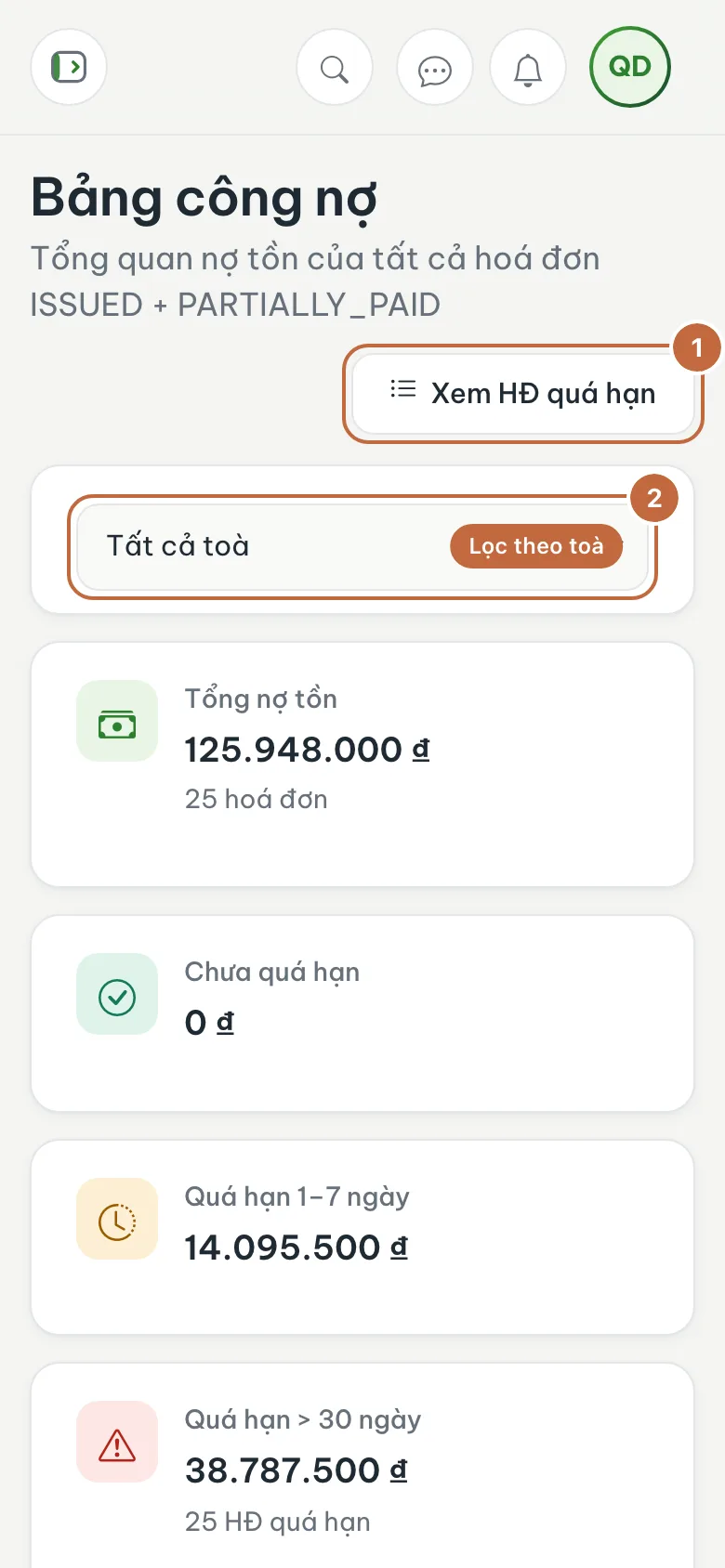
Debt dashboard: the View overdue invoices button (①) and the building filter (②) Filter by building
Pick a building in the filter (②) or click the Filter the dashboard by this building icon in the by-building table. Further down there is a list of the tenants who owe the most; click a name to open the tenant profile.
Open the overdue invoice list
Click View overdue invoices (①). The Overdue invoices table has Invoice no., Tenant / Room, Period, Due, Days overdue and Amount due, with a Total row at the bottom.
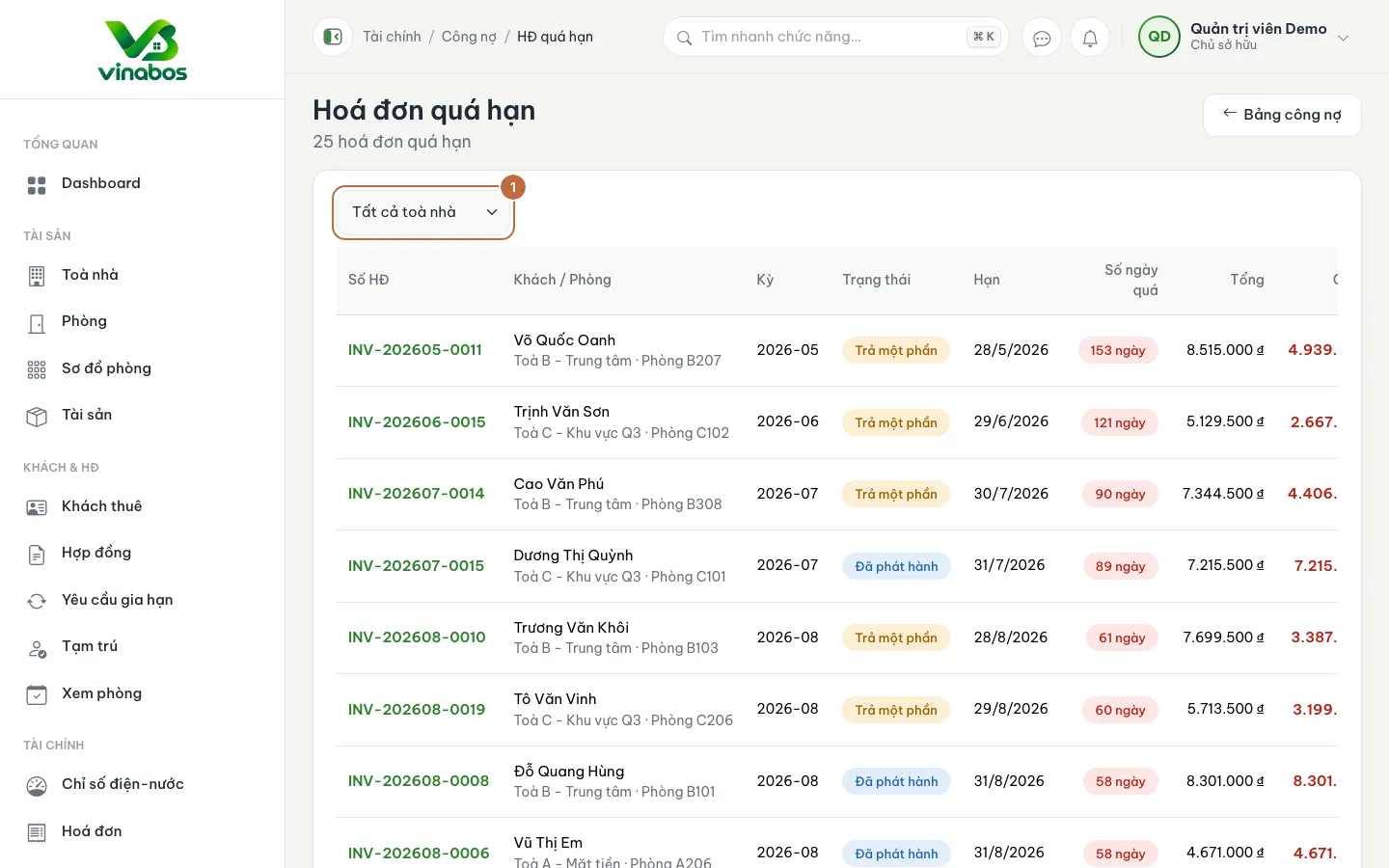
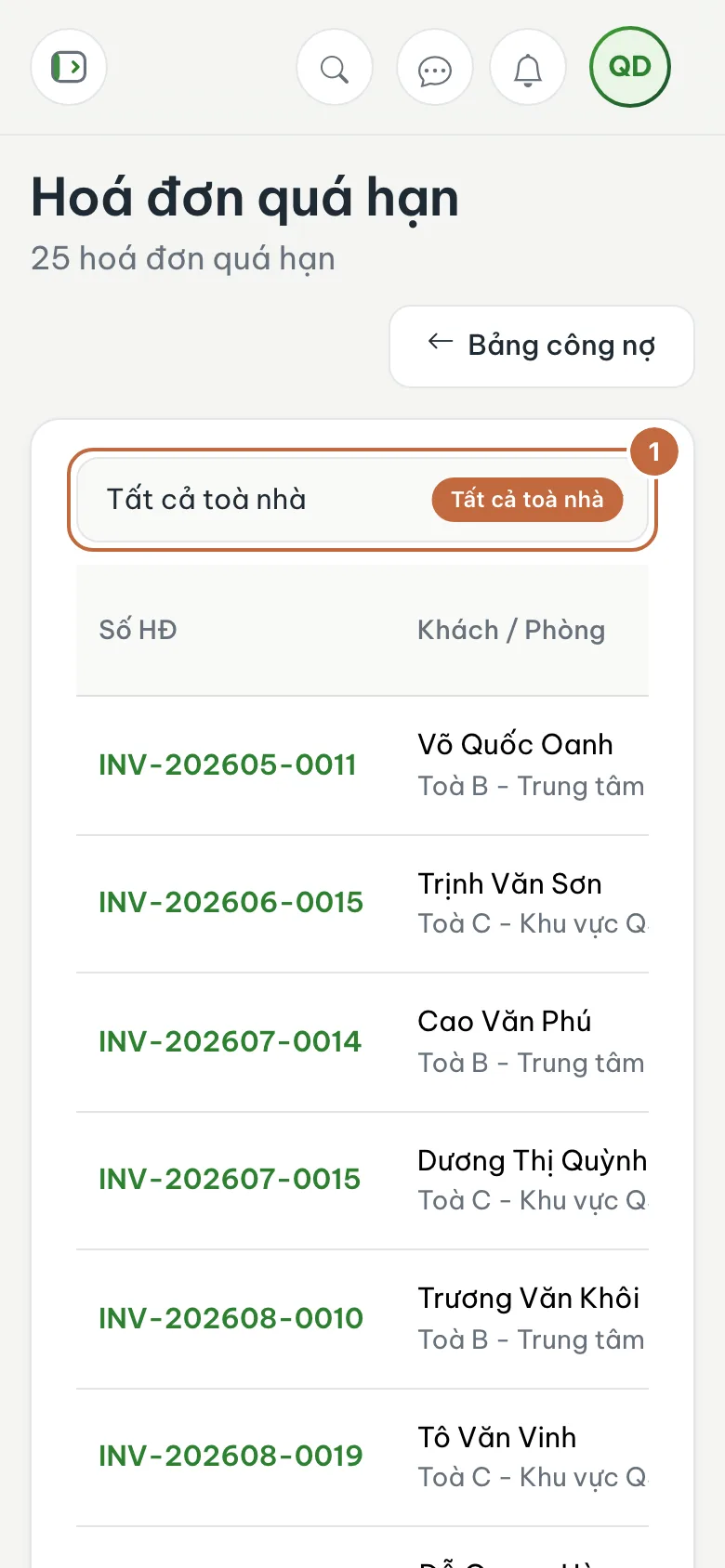
Overdue invoice list, filtered by building (①) Contact the tenant
Open the invoice or tenant profile for details, then remind the tenant through Messages or by phone. When the tenant pays, record a receipt so the balance disappears from the dashboard.
Every Monday morning, look at the Overdue 1–7 days card. Reminding early, while the balance is still small, usually gets a quick payment and is much easier than letting it slip for a whole month.
This page is for tracking and finding tenants who owe. You send reminders by message or phone; the system does not send them automatically from this screen.
FAQ
The tenant already transferred the money but still shows as owing
The receipt has not been recorded. Open the invoice and click Record payment as described in the guide on collecting payments.
Which invoices count as outstanding debt?
Issued and partially paid invoices. Draft, cancelled and fully paid invoices are not counted.
Next step
Was this article helpful?
Thanks for your feedback!